About this product
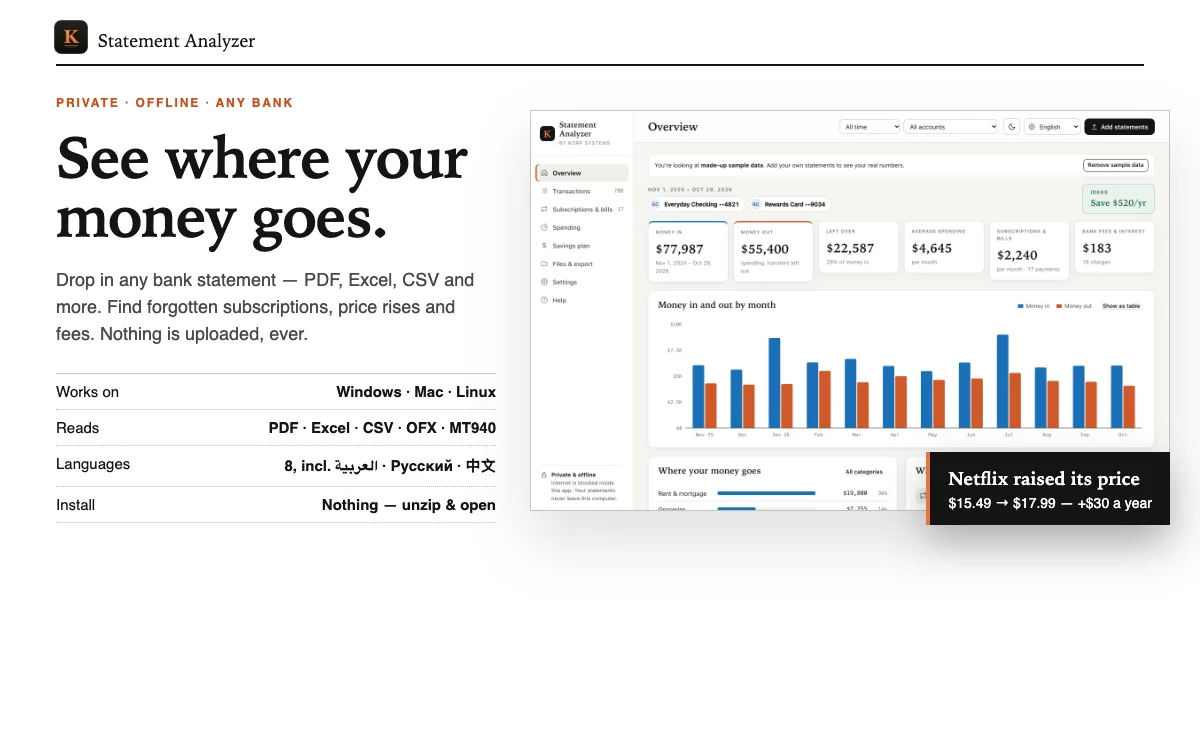
See exactly where your money goes — without uploading your bank statements anywhere.
Statement Analyzer is a private app that runs on your own computer. Drop in statements from any bank or card and within seconds you get:
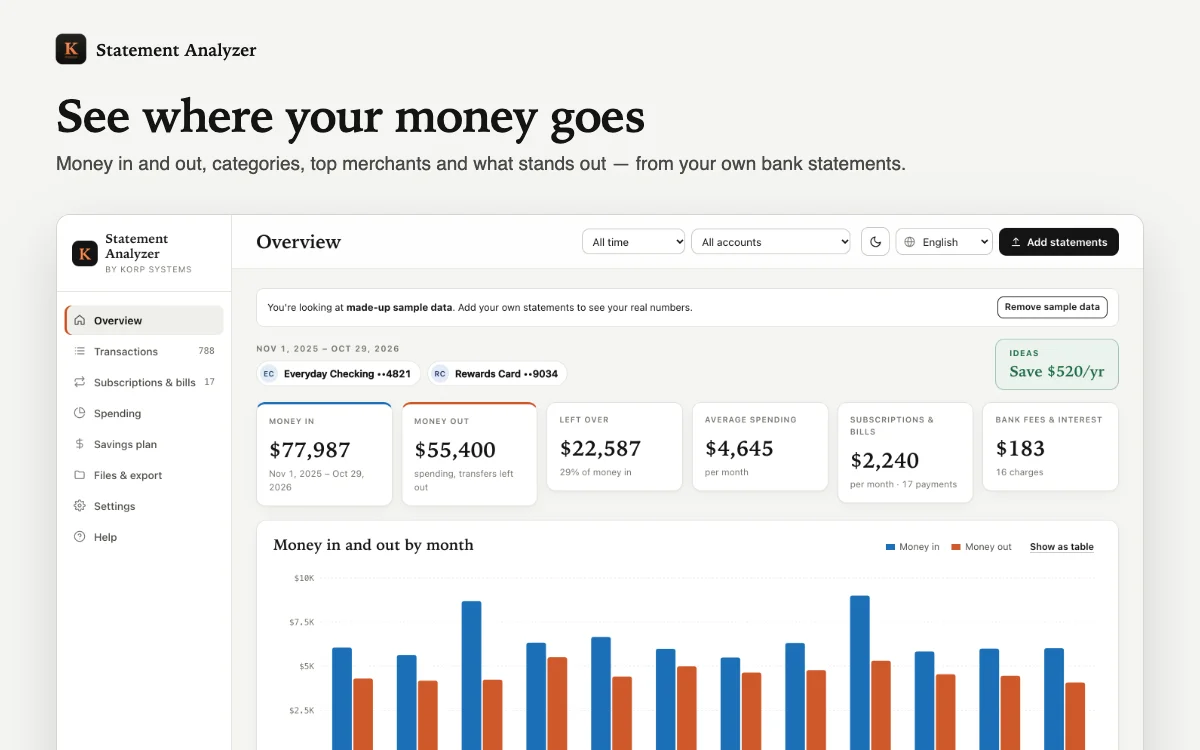
• Spending by category and by month, money in vs. money out, and your top merchants
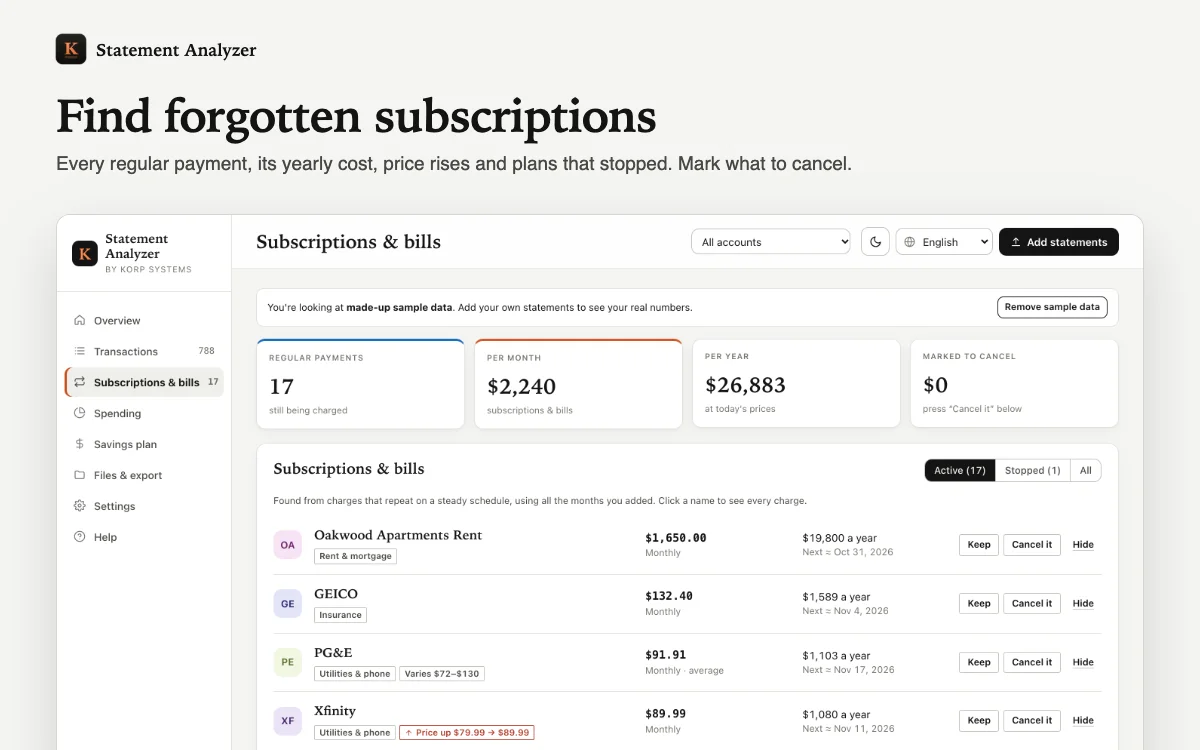
• Every subscription and regular bill — with its yearly cost, the next charge, price rises and plans that quietly stopped
• Overlapping services ("you pay for 3 video streaming services"), possible double charges, bank fees and interest
• A savings plan: mark what to cancel, set how much less to spend per category, and see the total you save per year
• Excel report (6 sheets), CSV export, printable PDF report and a backup file
WORKS WITH ALMOST ANY BANK
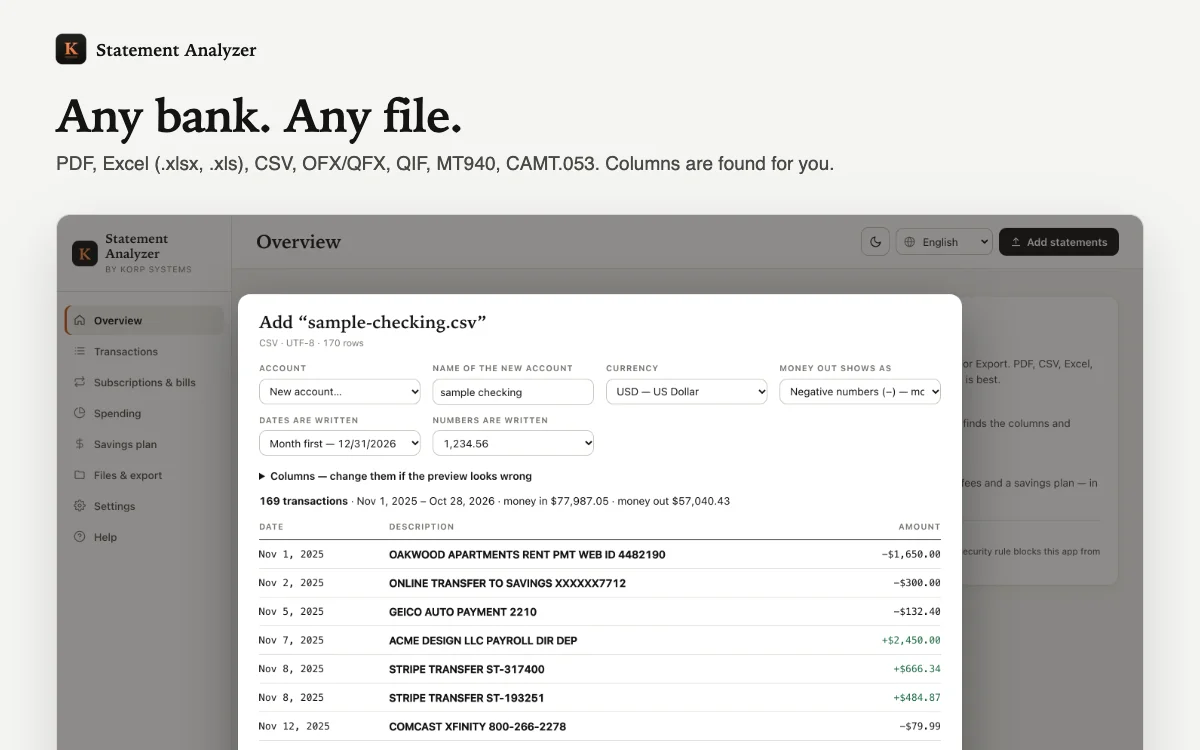
PDF statements, Excel (.xlsx and old .xls), CSV, OFX/QFX, QIF, MT940 and CAMT.053. The app finds the date, description and amount columns itself and shows a preview you can correct — day-first or month-first dates, 1,234.56 or 1.234,56 numbers, debit/credit columns and credit-card signs are all handled. Thousands of merchants are recognised across the USA, UK & Europe, India, Russia, Kazakhstan, Turkey and the Gulf. Your own corrections are remembered for next time. Statement won't import? Send it to us from your order page and we'll fix it.
PRIVATE BY DESIGN
• No account, no server, no tracking, no AI service reading your data
• A browser security rule blocks the app from the internet — turn off Wi-Fi and it still works
• Your data stays in your own browser on your own computer; one click removes it
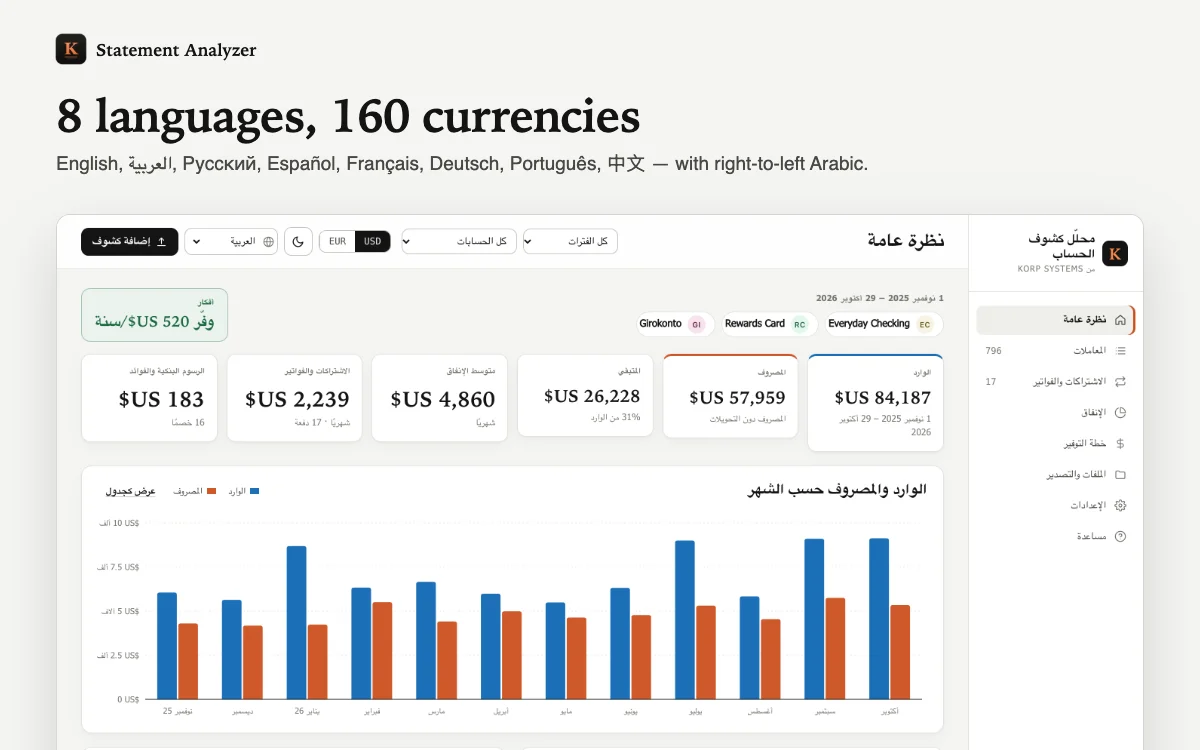
8 LANGUAGES, 160 CURRENCIES
English, العربية (right-to-left), Русский, Español, Français, Deutsch, Português, 中文. Each account keeps its own currency; nothing is ever mixed or converted.
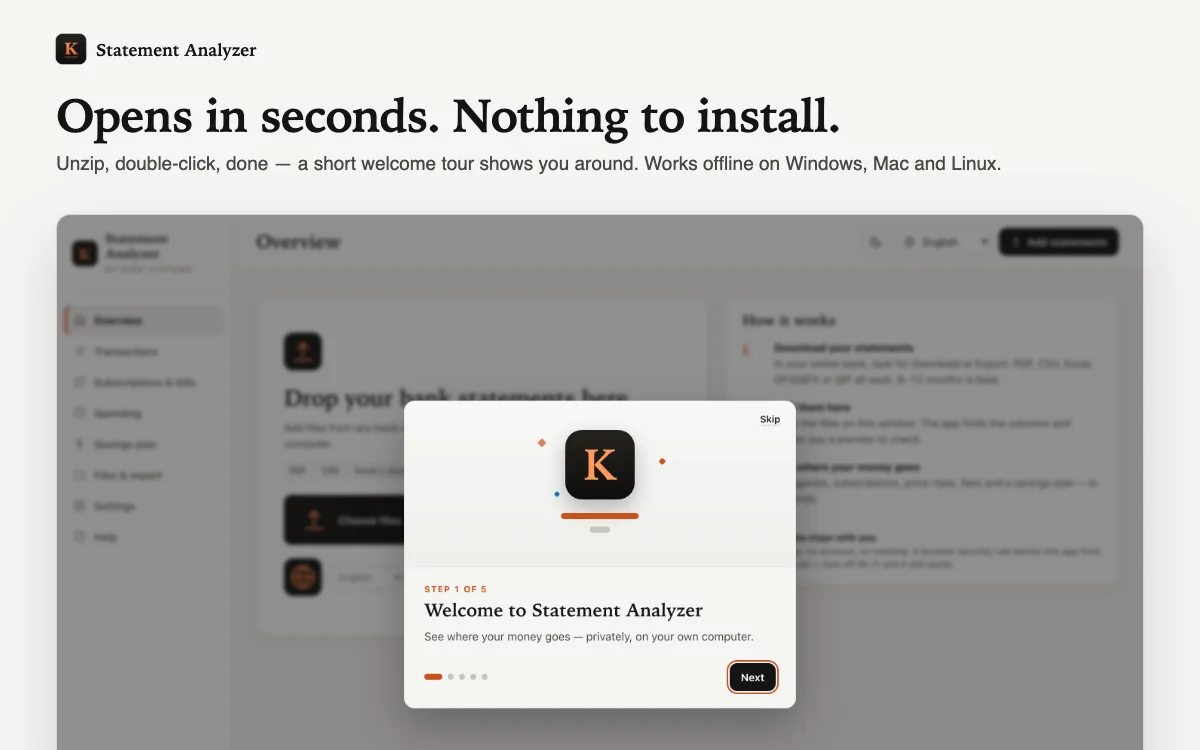
RUNS EVERYWHERE YOU HAVE A COMPUTER
Windows, Mac, Linux and Chromebook. Unzip and double-click — it opens in Chrome, Edge, Safari or Firefox. Nothing to install. A short animated welcome tour shows you around (skip it any time), and the illustrated install guide shows how to put a shortcut with the app icon on your desktop or Dock. Light, dark and paper themes.
Note: this is not financial advice — it shows what is in your statements so you can decide. Scanned (picture) PDFs and password-locked files can't be read; download CSV or Excel from your bank for those. Phones and tablets are not supported yet.